

Find the prices that are costing you money.
Costs move. Rules stop being followed. Items get set up once and never looked at again. Margin Intelligence finds the gap between the margin you’re earning and the margin your pricing rules were set up to produce, then gives you a ranked list of prices to review.
Margin review
| Review item | Current information | Next decision |
|---|---|---|
| Pricing exception | Cost and selling price | Check the margin |
| Proposed change | Current and modeled price | Compare the options |
| Missing information | No usable cost or history | Set aside for review |
| Approved change | The proposal you chose | Record the decision |
More than a report telling you margin is down.
Vista reads your own catalog and sales history, then makes the pass a good pricing manager would, item by item, across thousands of them.
Review the exceptions
It flags the prices that aren’t producing the margin you set, with a reason for each one.
Compare the options
Try a change and see what it does across the business before a single price moves.
Approve what you want
Nothing changes until you say so, and the record shows exactly what you approved.
with no new sales
What it found in one dealer’s parts bin.
A well-run, four-season outdoor power equipment dealer, mowers in summer and snow in winter, doing about $4.5M a year. Annual net profit went from $177K to $231K without selling a single extra machine.
The owner’s instinct was to sell more equipment. But equipment runs around 18% margin, it’s MAP-bound, and customers can compare it in one click. The margin was in parts, accessories and bulk: items that sell every day and were under-priced one at a time, with nothing on a report to say so.
Vista set aside the items it couldn’t trust, skipped everything MAP-protected, and sorted the rest by how fast each one sells and how likely a customer is to know its price. We tested several plans against the dealer’s own numbers until the owner was comfortable with one: about 590 under-priced parts, corrected with a consistent rounding rule.
- Net profit margin from 4.0% to 5.2%
- Parts gross margin from 36% to 43%
- $54K more a year, from the parts bin
Making that same $54,000 by selling equipment would have taken about 80 more machines.
One page: the dealer’s position before and after, what the analysis looked at, and ten real items from their catalog with the cost, old price, new price and the yearly profit each one added.
It knows which prices your customers watch.
Not every price is visible. A regular knows what a quart of oil costs; almost nobody knows what a carburetor gasket should cost. A part that sells every day and one that hasn’t moved in a year shouldn’t be priced the same way either.
So Vista sorts every item two ways before it recommends a single price, and leaves alone the ones a customer would notice.
It also reads vendor and distributor price files, so a cost increase shows up as a price recommendation instead of margin you never see leave, and it applies clean price endings after the margin target. That’s often where the last point of margin comes from.
Four numbers, and what each one means.
What you’re earning at today’s prices
What your pricing rules were set up to produce
The difference between the two
What the recommended changes could add over a full year
Estimates are based on your current sales and cost data. What you actually earn depends on what you sell.
Where the biggest opportunities are.
One blended margin hides more than it shows. It moves when your mix moves, not only when your pricing does. Vista shows you the departments where a price review would make the biggest difference.
Margin by department
| Department | Current | Expected | Added profit | Prices to review |
|---|---|---|---|---|
| Parts | 36% | 43% | +$54K | 590 |
Every recommendation comes with a reason you can repeat.
Costs went up
Your cost changed, but your selling price didn’t keep up.
Margin is too low
The current price doesn’t produce the margin set for this item.
Off your matrix
The item isn’t following the pricing table assigned to it.
Rounding
A small change to the price ending would improve margin.
Needs a person
Vista found an issue but shouldn’t change the price on its own.
Protected price
This item is deliberately kept out of price changes.
You stay in charge of your prices.
You decide
Prices change only when you approve them. Vista records what you approved and helps you confirm it went through.
Your existing exports
Vista works from files your system already produces. It doesn’t connect to your system or change anything in it.
Estimates labeled as estimates
The yearly figure comes from your own data. What you earn depends on what you actually sell.
Gaps in your data are flagged
Items without a usable cost are set aside and flagged for better information, so nothing gets priced on a zero.
Pricing is one part of a bigger picture.
Margin Intelligence is one application in the Vista family, and Vista is one of three ways we help. Start with whatever’s causing the most pain right now.
The rest of Vista
Margin Intelligence covers what you charge. Inventory Intelligence covers what you’re carrying.
Consulting
Pricing is often where the problem shows up, not where it starts. We go after the cause: purchasing, mix, process and the decisions behind the numbers.
Training
So your team reviews prices every month on its own, not only when we’re in the building.
More on margin and pricing.

You Cannot Sell Your Way to a Better Year
Growth is the instinct when profit is short. It is rarely the fastest lever an owner has.
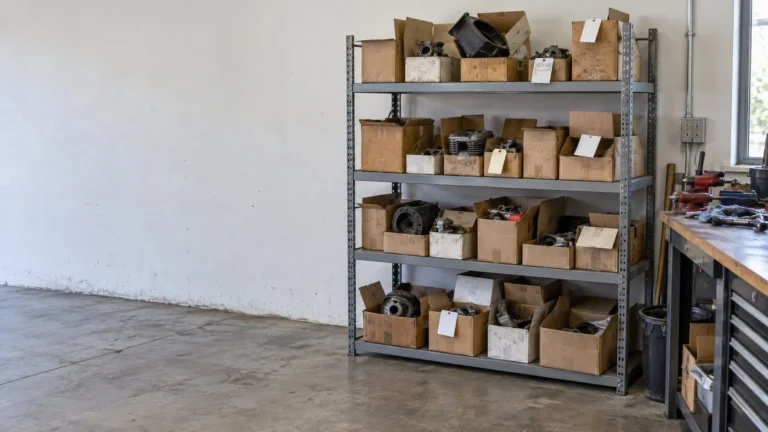
The Loss You Watch Is Rarely the Largest One
Shrink gets the attention. The money a business earned and never collected can be larger, and nothing records it.

Effective Labor Rate: What It Is and How It Compares to Your Posted Rate
The rate on the wall is what you charge for an hour that gets billed. What the shop actually earns per hour is a different number, and the gap between them is where service profit goes.
Free download: Monthly Margin Questions →
See it before you commit to anything.
A walkthrough of Margin Intelligence and a conversation about your pricing. Detailed analysis, findings and correction plans are paid work, with scope and price confirmed in writing first.
(770) 215-4484hello@profitedgesystems.comPick a time on the calendar →
